
Mastering Form 30
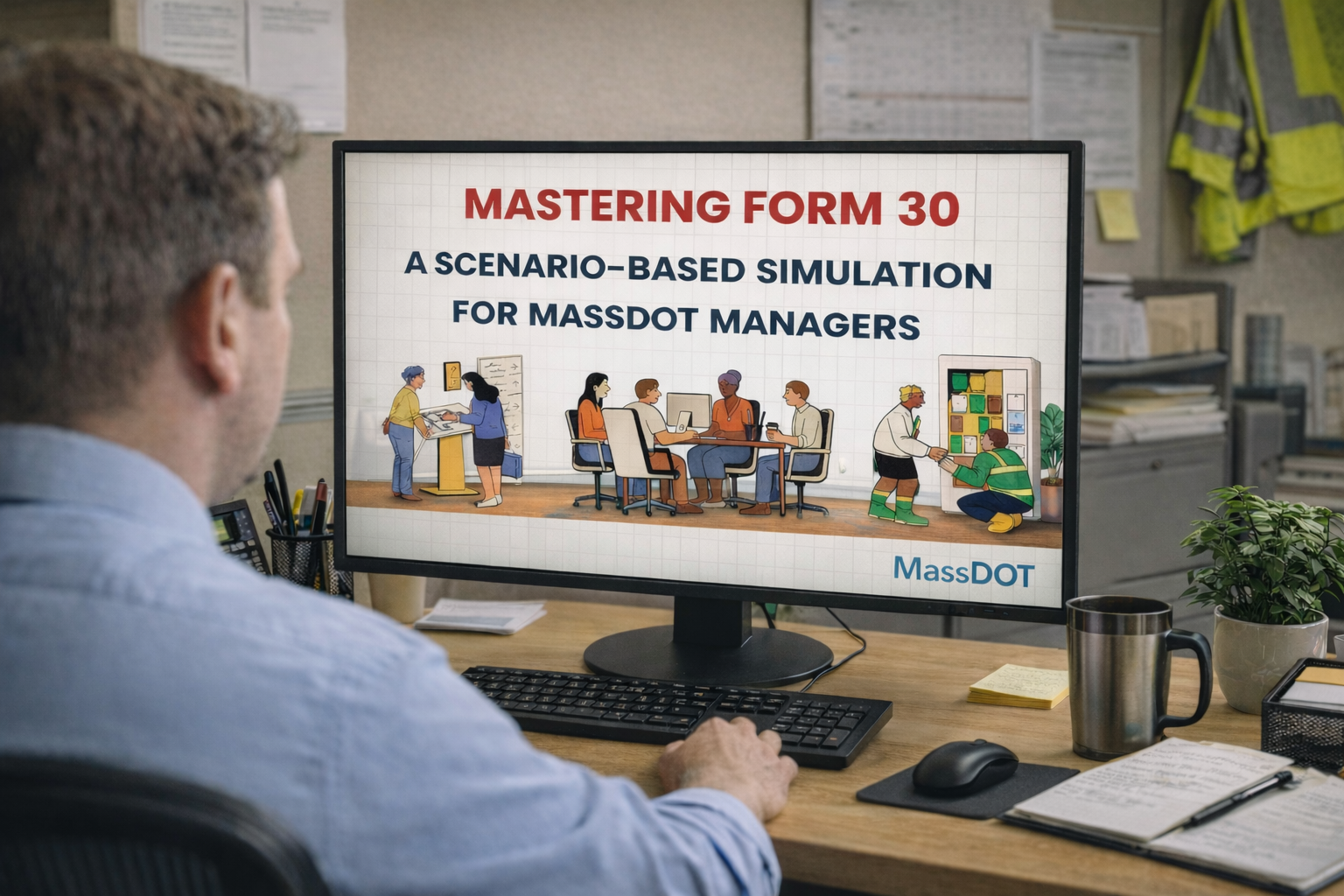
Form 30 is MassDOT’s official position description for non-management roles, defining duties, supervision, and required qualifications.
As roles evolve, managers must determine whether to make a minor update, a major revision, or create a new form.
This scenario-based eLearning helps managers make those decisions accurately and complete Form 30 with confidence.
Audience: MassDOT managers and supervisors
Responsibilities: Instructional Designer, eLearning Development, Action Mapping, Storyboard, and Visual Design
Tools Used: Articulate Storyline, Google Docs, SharePoint, Videoscribe, Canva
The Problem
The Form 30 ( the position description) is a critical HR document. However, managers often struggled with:
Determining when a form updates is required (minor change vs. major change vs. new role)
Describing the job duties clearly and comprehensively
Locating and referencing official guidelines or sample forms
The HR team found that submitted forms frequently contained omissions and inconsistencies, and that no formal quality control process was in place to catch errors before submission.
The Solution
To address these gaps, the learning solution included:
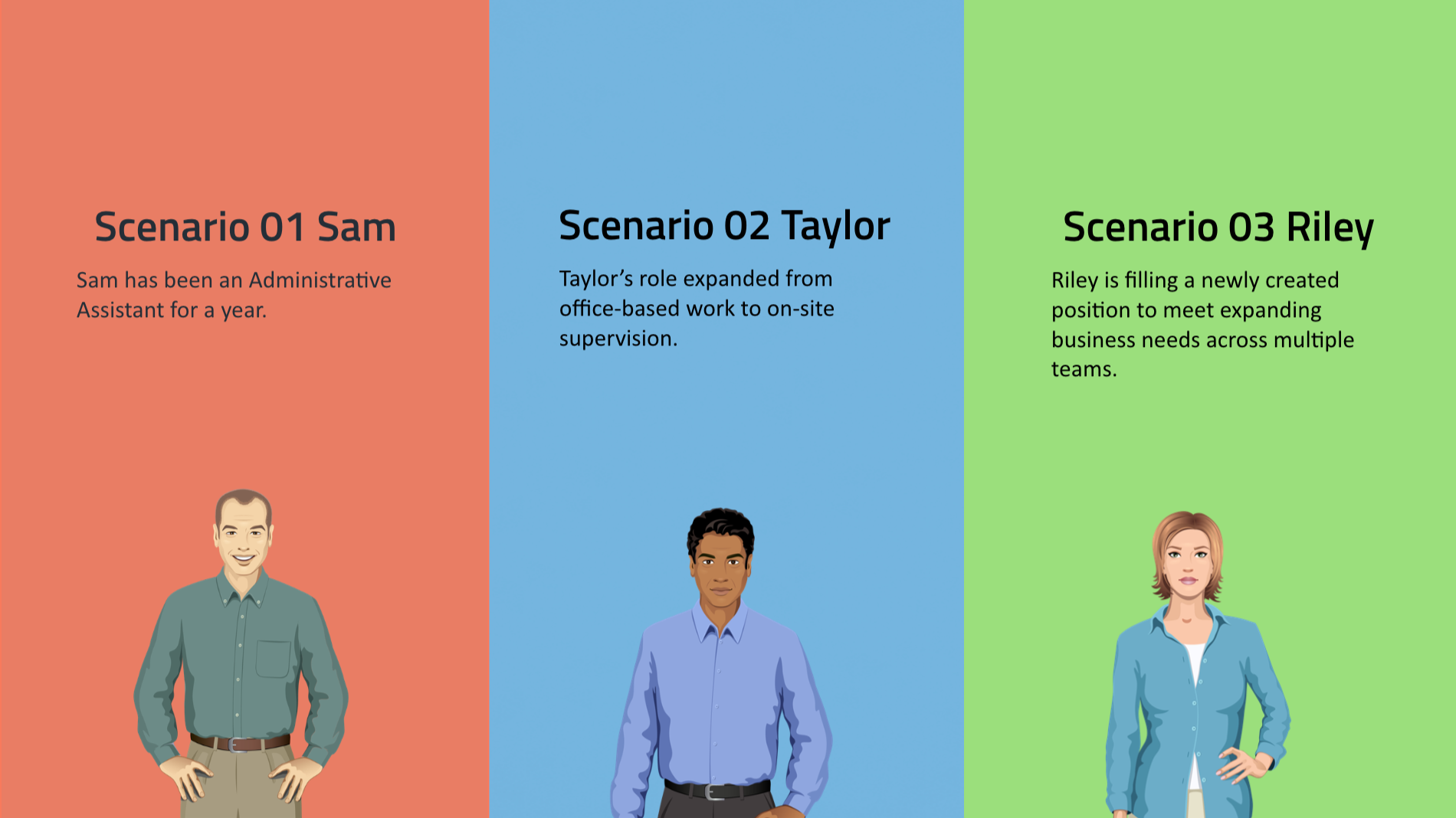
Three branching scenarios based on common job update types:
Minor Adjustment (e.g., tools or software changes)
Major Modification (expanded scope or responsibilities)
New Position (entirely new role)
Scenario-based editing activities aligned to the Form 30 structure, with embedded checks and immediate feedback
A built-in reference library, including official guidelines, sample forms, a Form 30 templates library, and FAQs documentation
Accessibility considerations integrated throughout the learning experience
My Process
-
Define the goal.
We partnered with HR and the Classification & Compensation team to define a clear learning goal grounded in official guidelines, policy requirements, and SME input, with a focus on reducing Form 30 errors and rework.
-
Design the solution.
Based on managers learning habits and workplace constraints, we selected e-learning as the primary modality and structured the course around scenario-based learning.
-
Develop the experience.
We collaborated closely with cross-functional SMEs through regular bi-weekly review cycles, iterating on storyboards, scenarios, and supporting resources.
Over 100 pieces of feedback from managers were analyzed and categorized to address content accuracy, information clarity, and effective delivery. -
Launch & evaluate the experience.
We collaborated with Communication Team and the HRBPs to promote the training, publish the course securely, and ensure access for all relevant managers.
After launch, we tracked participation, gathered feedback, and reviewed outcome data to inform ongoing improvements.
Action Mapping
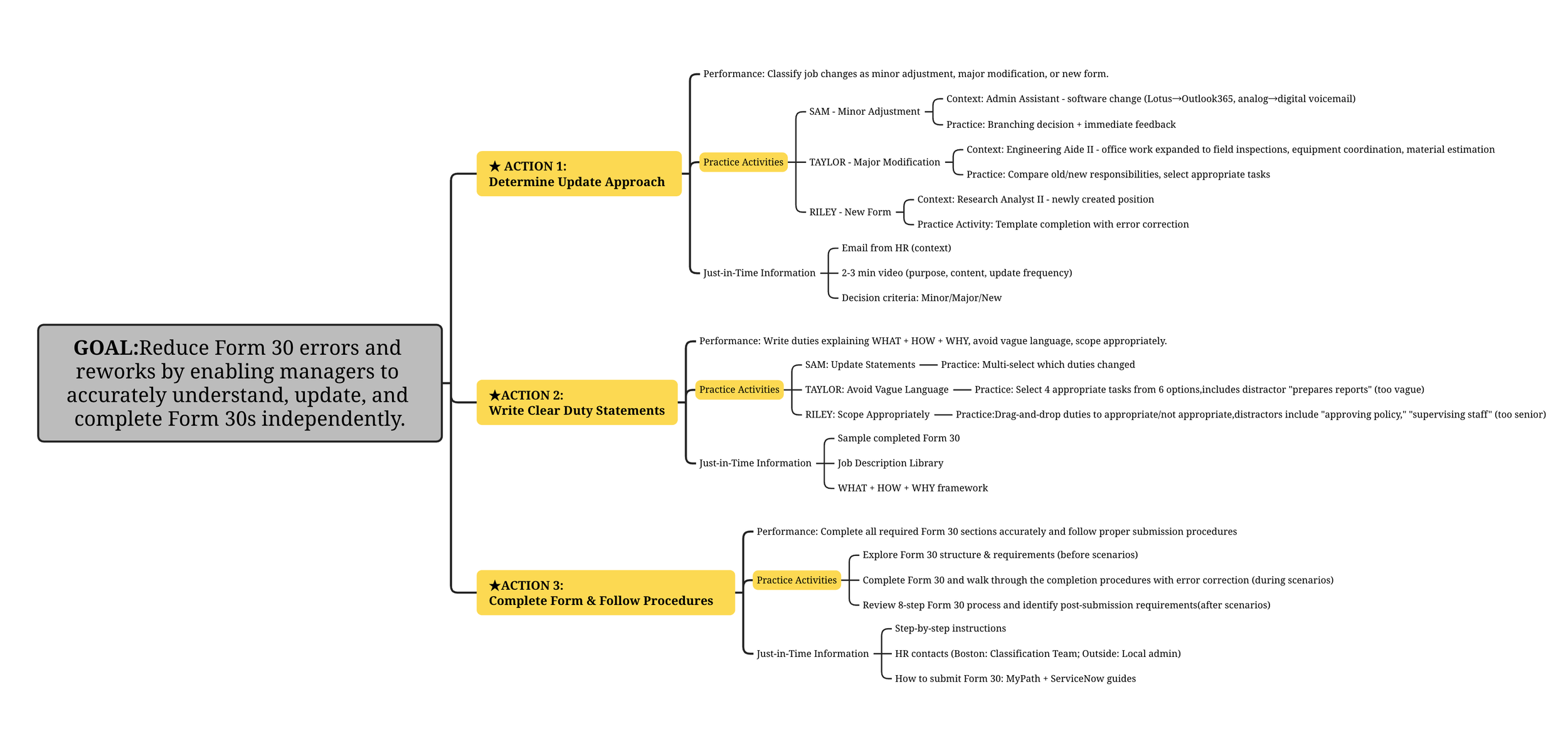
Using action mapping, inspired by Cathy Moore, I translated the business goal into three critical manager actions that directly impact Form 30 accuracy and compliance.
I used XMind to create the action map and plan realistic scenarios, practice activities, and just-in-time support.
Text-Based Storyboard
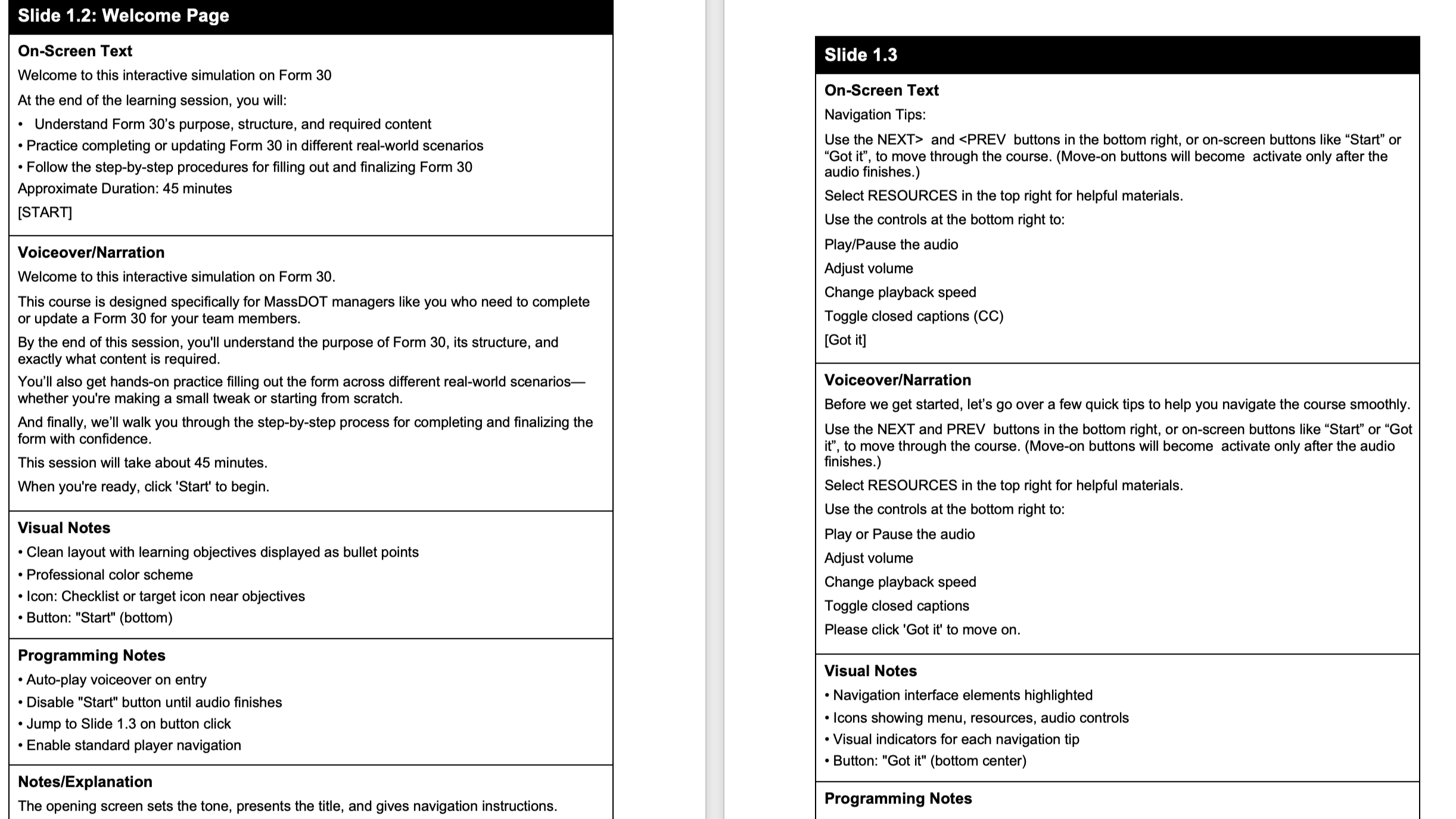
This storyboard documents a 45-minute scenario-based eLearning course designed to train MassDOT managers on Form 30 completion.
When initial content testing revealed the introduction felt dry, I integrated video illustrations to increase engagement and clarify complex processes. Throughout the design, I incorporated supportive, encouraging language to reduce learner anxiety and maintain focus, recognizing that Form 30's complexity can be intimidating. During SME collaboration, we identified the need for supplemental job aids (Q&A guide, sample forms, submission instructions) and discovered opportunities to streamline the actual workflow by enabling direct submissions through ServiceNow and MyPath.

Visual Mockups
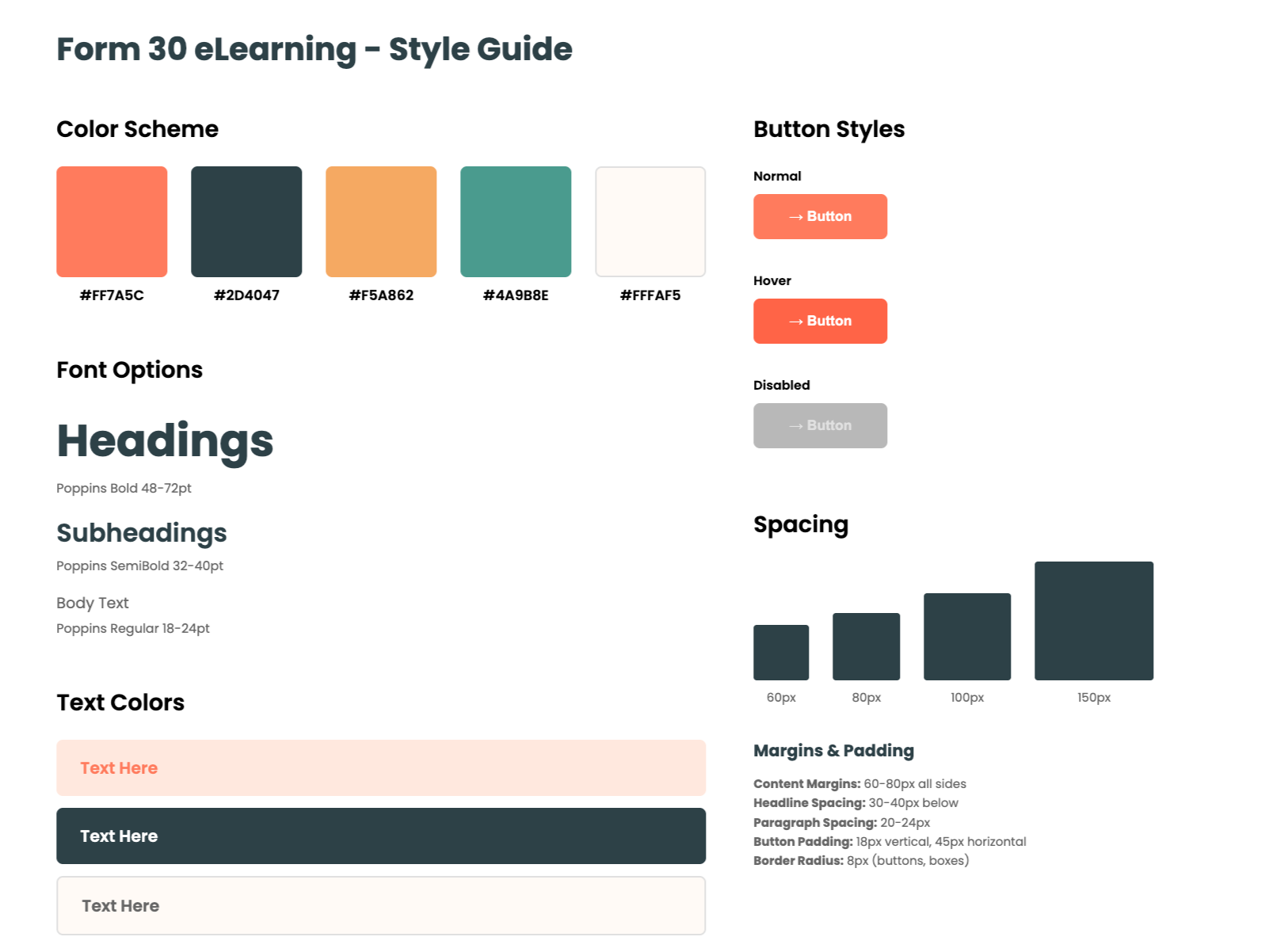
I began the visual design process by curating a mood board inspired by Canva templates. Because the eLearning was designed for an office environment, I selected templates with a professional office theme. After discussions with my supervisor (Manager of Learning & Development), we chose a more vivid color palette to improve visual clarity and accessibility.
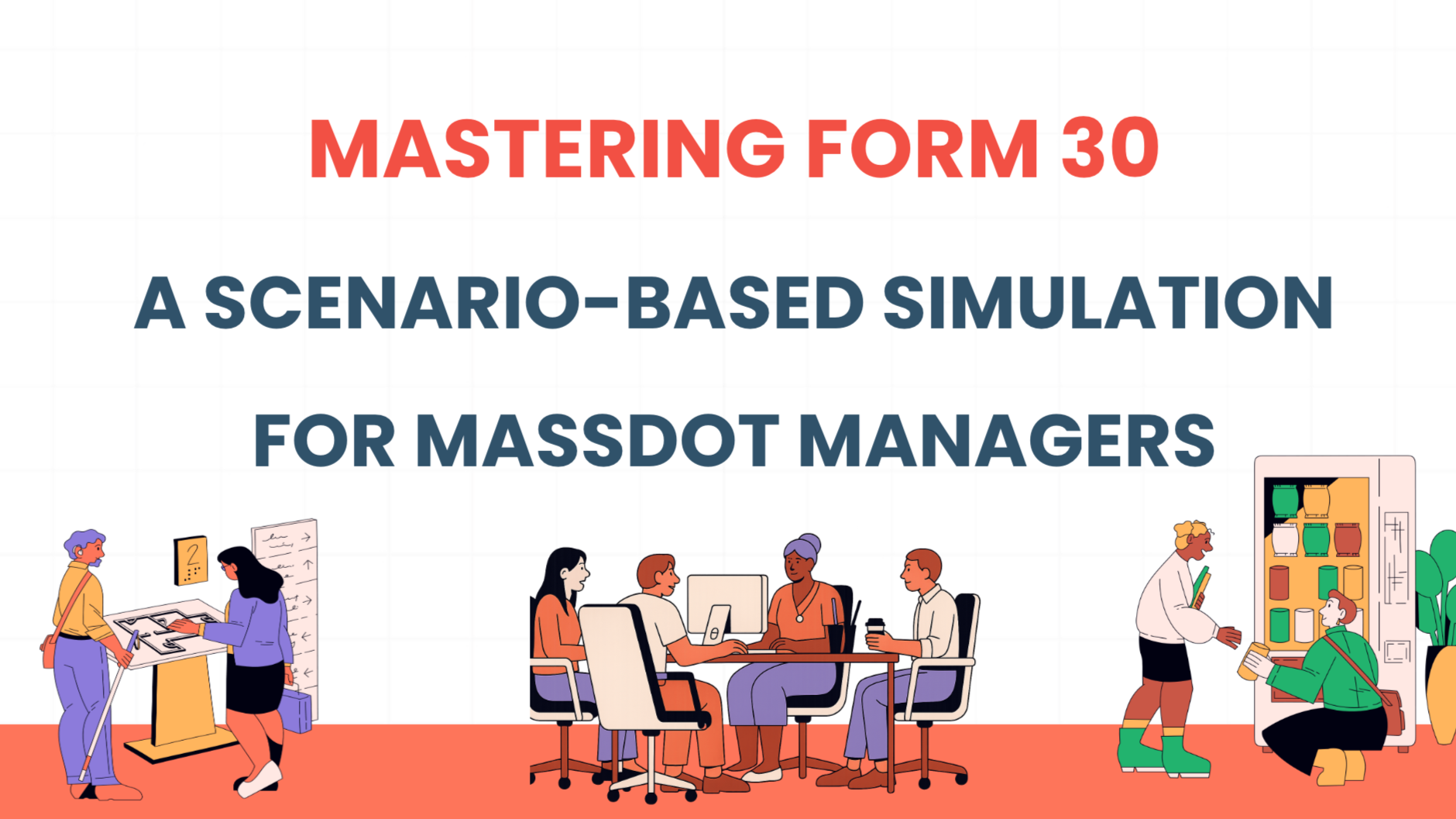
For the learning scenes, we adopted a cartoon-style visual approach. Using Sora, an AI image-generation tool, I created office-themed illustrations of team members that aligned with the selected template’s visual style.
Given the heavy use of character-based dialogue throughout the learning experience, I incorporated cartoon-style characters from the Articulate Storyline character library to support scenario-based interactions and maintain visual consistency.
I then began developing each page, ensuring that layouts were clear, consistent, and user-friendly, with visual hierarchy and spacing designed to support easy navigation and comprehension.
Interactive Prototype
Next, I developed an interactive prototype using Articulate Storyline 360 to test functionality and interaction flow.
Because the content was extensive and highly detailed, I used audio, animation, and visual cues to support comprehension and reduce cognitive load.
The prototype includes interactive elements such as drag and drop activities, multiple choice questions, and error identification exercises to reinforce accurate decision making.
Accessibility and readability were addressed throughout the design through captions, optional narration, clear page layouts, and high contrast visuals that perform well across devices.


Full Development
During full development, the project involved close collaboration with multiple internal groups, including HR, Learning and Development, departmental managers, and business partners.
Feedback was collected at each stage through review meetings, shared documentation, and prototype testing. All suggestions were logged systematically and categorized by content accuracy, learning experience design, and accessibility requirements.
Through this feedback process, we identified common misunderstandings among managers regarding Form 30 completion and submission. To address these gaps, I designed a structured Q and A reference document that clarified frequent questions, explained submission steps, and outlined common errors to avoid.
To further support comprehension of complex and text heavy content, I also created an explainer video using VideoScribe, translating procedural information into a clear and visual narrative.
For pre launch preparation, I finalized the course for upload to MassAchieve and coordinated the distribution of supporting materials through SharePoint. Final checks included platform compatibility testing, resource link validation, and planning internal course announcements.
Testimonials
-
Thank you Riya for design of the MQ and Form 30 training! Your work will be appreciated and impactful for many years at MassDOT!
— Richard Curtis,Director of Engagement and Learning& Development, MassDOT
-
This is really good work! I love it! The content is just what we need and the explanations are nice, simple and clear. The scenatios are also meaningful.
— Jack Lee, Senior Instructional Designer, MassDOT
-
Riya is an outstanding professional and many thanks for all of her efforts on these trainings!
— Amy Lynch, Manager of Classification and Compensation, MassDOT
Reflections and Takeaways
This project helped me better understand how designing for the public sector differs from designing for the private sector. In public sector work, accuracy, procedural clarity, and compliance are critical, especially when training involves HR policies or official forms. Reaching alignment across multiple stakeholders often becomes a core part of the design process.
I also learned that the format of the content should guide the learning approach. For form based and highly procedural tasks, eLearning alone is rarely enough. Job aids, reference materials, and clearer workflows play an important role in helping learners apply what they learn and complete tasks accurately.
Finally, this experience reinforced the importance of balancing engagement with usability. When content is dense, adding overly complex scenarios can increase cognitive load rather than help. In these cases, clear structure and practical design choices are more effective than highly “fancy” interactions.