
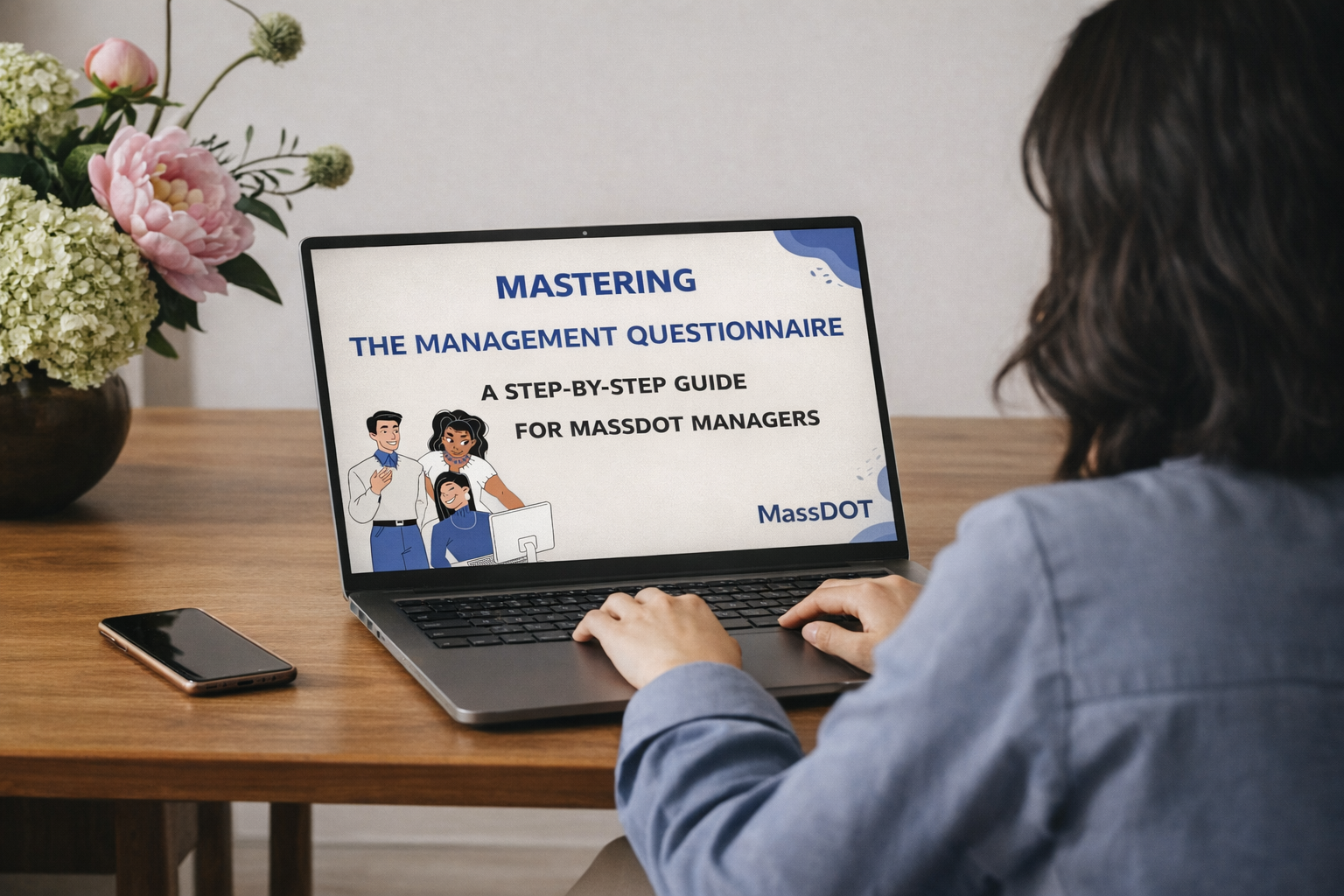
Mastering the Management Questionnaire
The Management Questionnaire (MQ) is a critical classification tool used by MassDOT to evaluate new, revised, or significantly changed management positions. Inaccurate or incomplete MQ submissions often lead to HR rework, delayed evaluations, and inconsistent classification outcomes.
This project translates a dense, policy-heavy HR process into a clear, efficient learning experience that helps managers complete MQs accurately and confidently.
Audience: MassDOT managers and supervisors
Responsibilities: Instructional Designer, eLearning Development, Action Mapping, Storyboard, and Visual Design
Tools Used: Articulate Storyline, Google Docs, SharePoint, Canva, Xmind
The Problem
Similar to the challenges managers face with Form 30, managers who are required to complete the Management Questionnaire (MQ) often struggle because:
Guidance is spread across multiple documents, making it difficult to locate the right information at the right time.
The guidelines are dry, dense, and policy-heavy, especially given that the MQ contains 14+ sections that require careful judgment rather than simple data entry.
From the Classification & Compensation team’s perspective, low-quality submissions—combined with the challenges managers experience—result in frequent back-and-forth during the submission and review process, requiring significant time to answer repetitive clarification questions.
The Solution
To address these challenges, the learning solution focused on the following design strategies:
Language: A general, comprehensive, but easy-to-understand introduction to the MQ form, helping managers quickly grasp its purpose and expectations.
Explanations:
Step-by-step walkthroughs of the MQ completion process, supported by real-world, concrete examples.
Knowledge checks are embedded after key concepts to reinforce understanding.
Emotional support is provided through supportive feedback and manageable content chunking to reduce stress associated with completing a long and complex form.
Resources:
A built-in reference library that include relevant HR and Classification & Compensation documents is provided.
My Process
-
Define the goal.
We partnered with HR and the Classification & Compensation team to define a clear learning goal grounded in official guidelines, policy requirements, and SME input, with a focus on reducing MQ errors and rework.
-
Design the solution.
Based on managers learning habits and workplace constraints, we selected e-learning as the primary modality .
We determined how to leverage existing resources, and identified where additional guidance and support materials were needed. -
Develop the experience.
We collaborated closely with cross-functional SMEs through regular bi-weekly review cycles, iterating on storyboards, scenarios, and supporting resources.
Feedback from managers were analyzed and categorized to address content accuracy, information clarity, and effective delivery. -
Launch & evaluate the experience.
We collaborated with Communication Team and the HRBPs to promote the training, publish the course securely, and ensure access for all relevant managers.
After launch, we tracked participation, gathered feedback, and reviewed outcome data to inform ongoing improvements.
Action Mapping
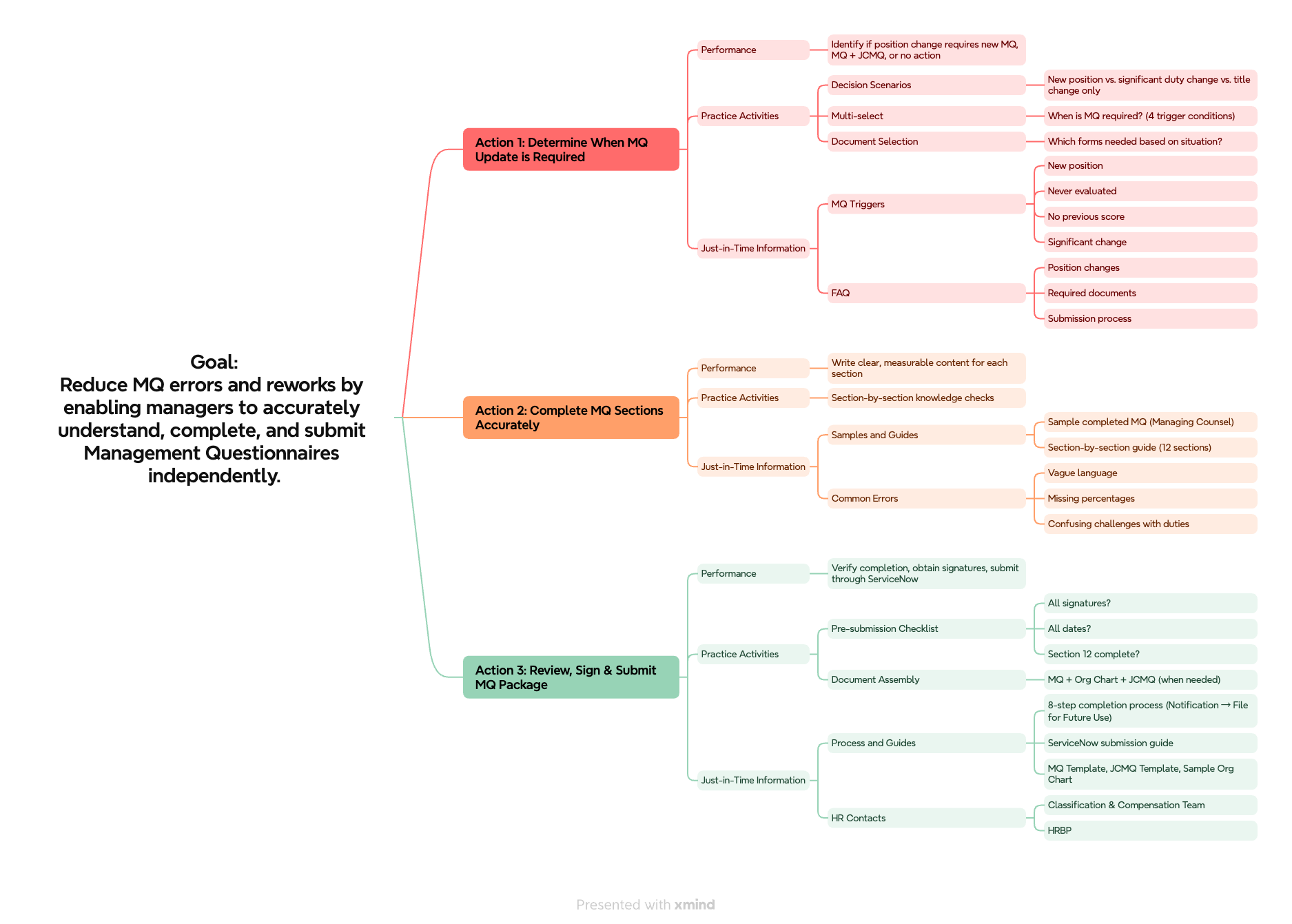
This action map focuses on three essential performance actions managers must execute to complete MQs successfully.
Rather than memorizing policies and 14+ form sections, you'll practice the actual decisions and tasks required: determining when an MQ is needed, completing each section with clear and measurable content, and properly reviewing and submitting the complete package.
Text-Based Storyboard
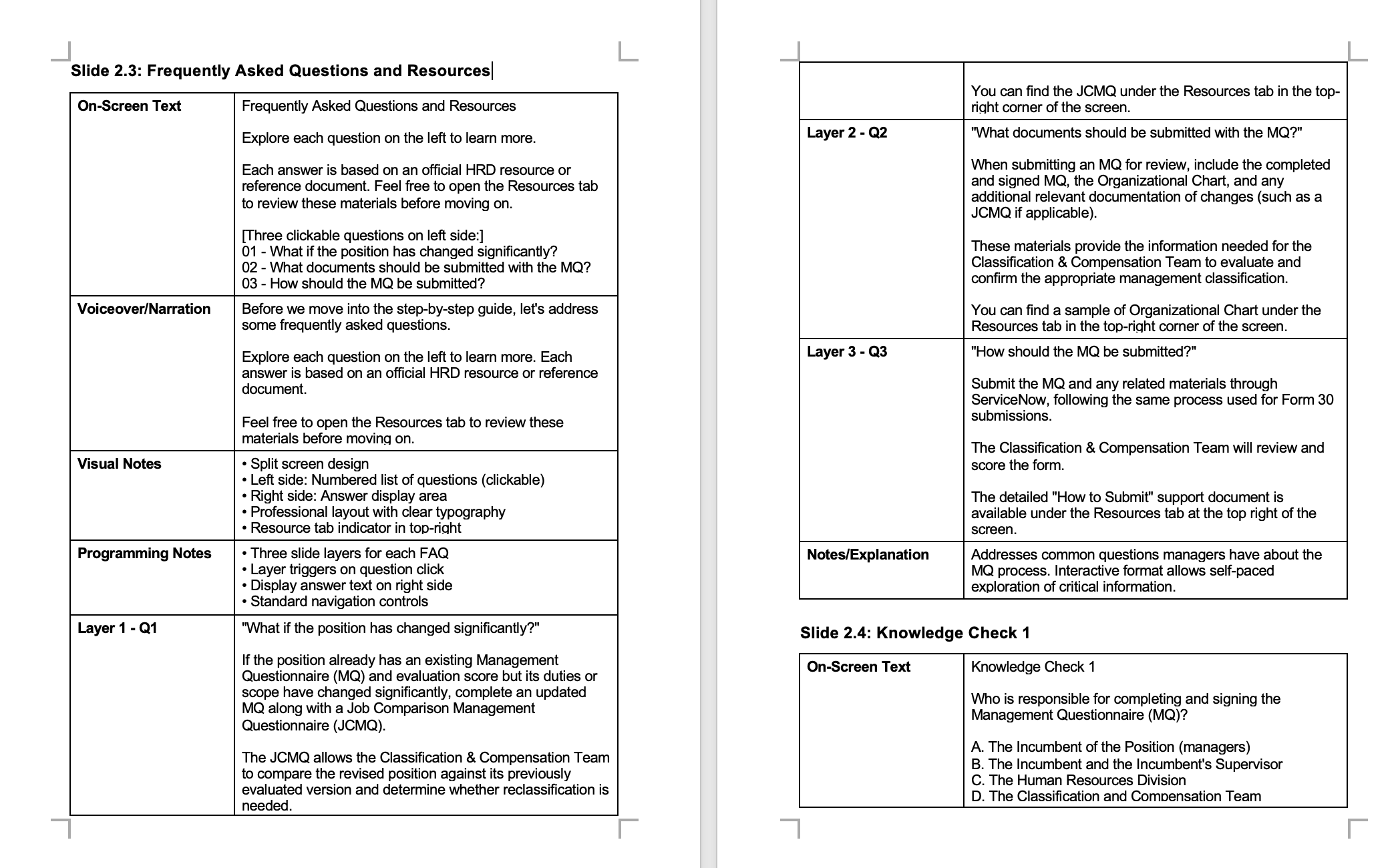
This storyboard documents a 45-minute scenario-based eLearning course designed to train MassDOT managers on completing the Management Questionnaire (MQ) form. Initial content testing revealed that the official introduction felt overly formal and difficult to follow. To address this, I translated the policy language into a clearer, more accessible version while maintaining accuracy.
The storyboard includes on-screen text, voiceover narration, visual notes, and programming notes.

Visual Mockups
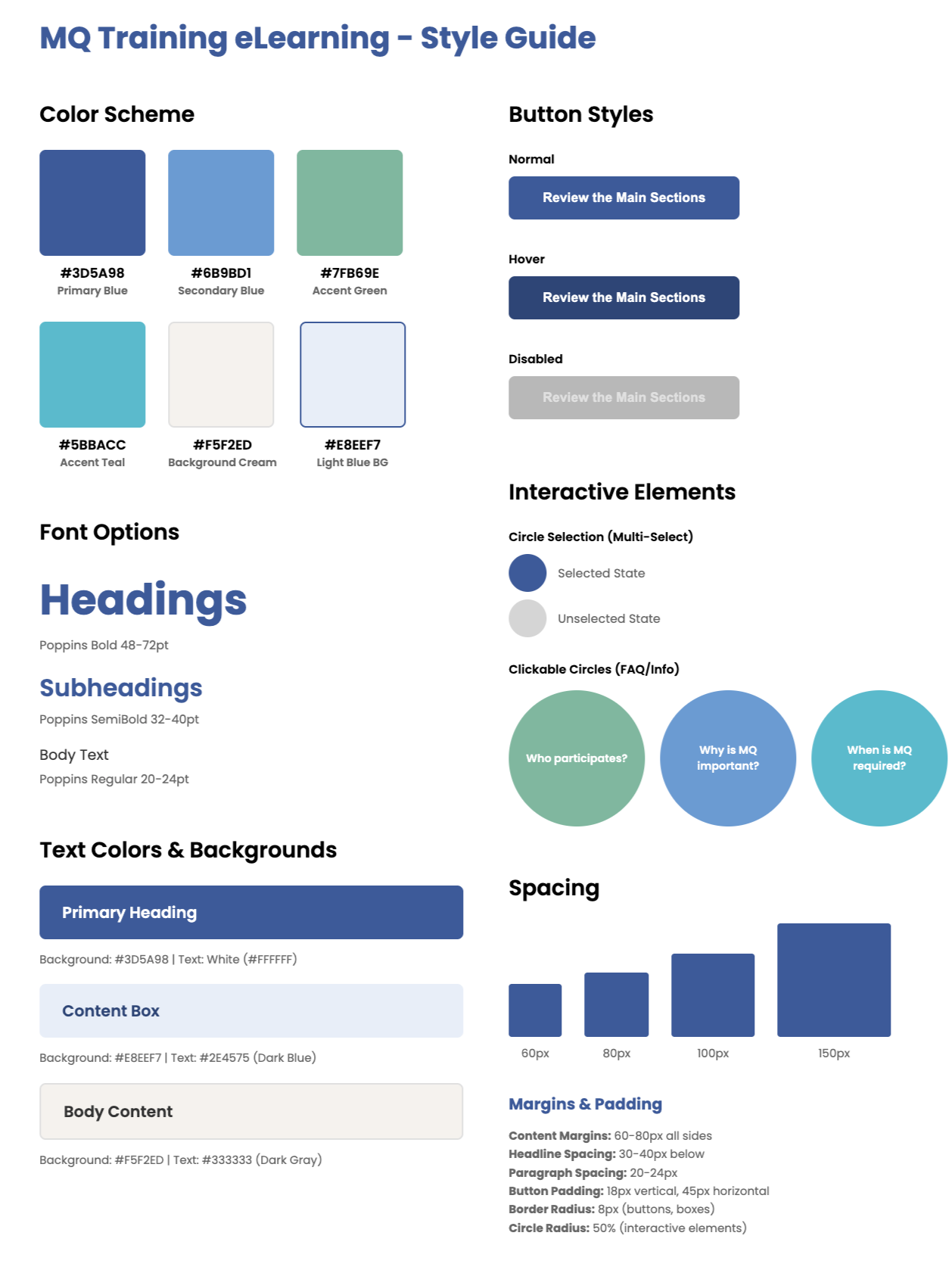
Just as we did for the Form 30 training, I began the visual design process by curating a mood board inspired by Canva templates.
Because the eLearning was designed for an office environment, I selected templates with a professional office theme. We chose a blue and green color scheme, distinct from the previous eLearning, to improve visual clarity and accessibility.
For the learning scenes, we adopted a cartoon-style visual approach. Using Sora, an AI image-generation tool, I created office-themed illustrations of team members that aligned with the selected template’s visual style.
Then I developed each page, ensuring that layouts were clear, consistent, and user-friendly, with visual hierarchy and spacing designed to support easy navigation and comprehension.
Interactive Prototype
Next, I developed an interactive prototype using Articulate Storyline 360 to test functionality and interaction flow.
Because the content was extensive and highly detailed, I used audio, animation, and visual cues to support comprehension and reduce cognitive load.
The prototype includes interactive elements such as drag and drop activities, multiple choice questions, and error identification exercises to reinforce accurate decision making.
Accessibility and readability were addressed throughout the design through captions, optional narration, clear page layouts, and high contrast visuals that perform well across devices.


Full Development
During full development, the project involved close collaboration with multiple internal groups, including HR, Learning and Development, departmental managers, and business partners.
Feedback was collected at each stage through review meetings, shared documentation, and prototype testing. All suggestions were logged systematically and categorized by content accuracy, learning experience design, and accessibility requirements.
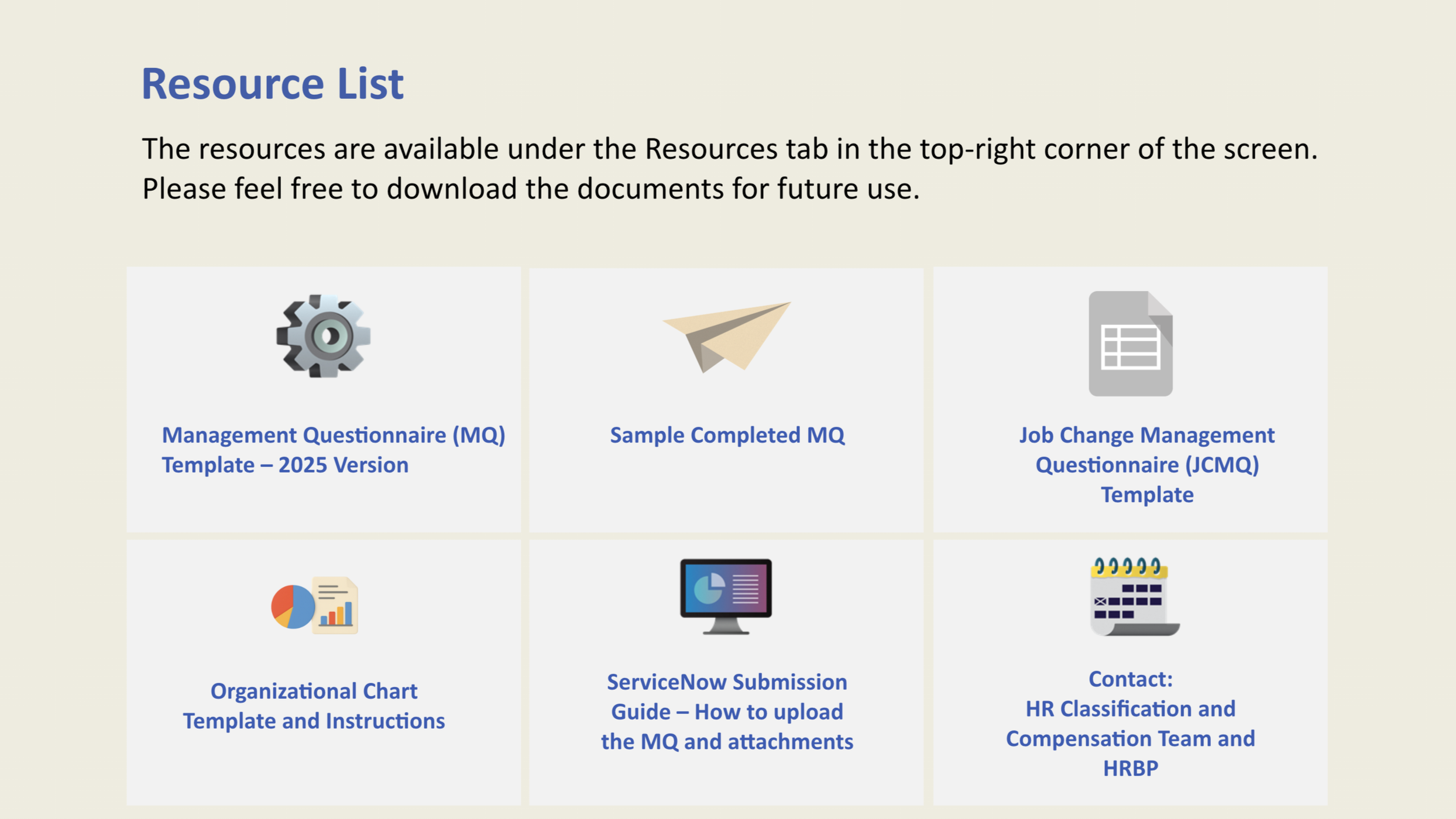
Based on SME feedback, we prepared and uploaded job aids under the Resources tab. These included not only the MQ template, MQ sample, and JCMQ sample, but also an organizational chart sample, classification instructions, and guidance on how to submit documents.
Testimonials
-
Thank you Riya for design of the MQ and Form 30 training! Your work will be appreciated and impactful for many years at MassDOT!
— Richard Curtis,Director of Engagement and Learning& Development, MassDOT
-
Riya has done an outstanding job explaining a most difficult subject matter. The information is well presented, in an easily understood, informative manner. I particularly liked the encouragements at various points in the steps. Breaking it down into digestible segments helps simplify what most consider an overwhelming task.
— Mark Spengler, Former Chief Human Resources Officer Massachusetts Department of Transportation, MassDOT
-
Riya is an outstanding professional and many thanks for all of her efforts on these trainings!
— Amy Lynch, Manager of Classification and Compensation, MassDOT
Reflections and Takeaways
This project moved more efficiently than previous ones because I was able to leverage the structure, templates, and development workflow I had established during the Form 30 training. Reusing proven frameworks and maintaining organized documentation of past design decisions significantly improved development speed. In addition, having already built strong working relationships with subject matter experts and team members made collaboration smoother and more productive. This reinforced the importance of documenting design processes and reusable assets to improve long-term efficiency.
Another key takeaway was the importance of structural clarity when designing for complex content. The MQ form contains more than a dozen major sections, each requiring careful judgment. To reduce overwhelm, the course followed a clear, consistent structure and incorporated necessary knowledge checks to reinforce understanding at critical points. A straightforward progression helped learners focus on one section at a time.
Finally, I recognized the importance of emotional support in compliance training. Because the MQ can feel intimidating, I intentionally used supportive language, clear chunking of content, visual hierarchy, and visible section numbering to orient learners throughout the experience. Providing clarity about where they are and what comes next helped reduce cognitive and emotional strain.